What must be displayed on a construction site notice board? UK checklist
What must go on a construction site notice board? Check F10 notices, law information, insurance and emergency details, with a free printable checklist.
11 min read

TL;DR
What must go on a construction site notice board? Check F10 notices, law information, insurance and emergency details, with a free printable checklist.
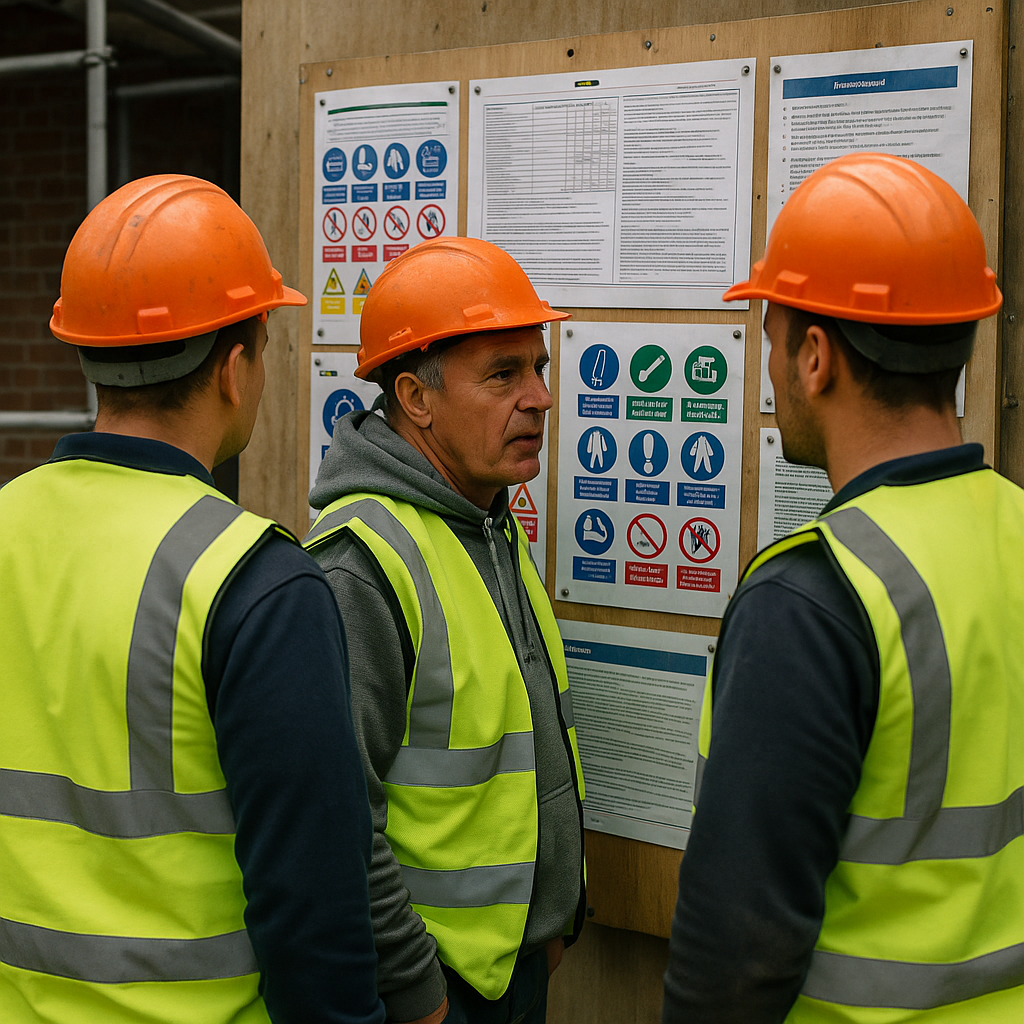
A construction site notice board brings together the notices, contacts and instructions people need on that job. Some information has a specific display requirement. Other information can be communicated another way, or is useful to show for day-to-day site management.
Start by checking whether the project needs an F10, how each employer provides health and safety law information, and how employees can access the relevant employers' liability insurance certificate.
Then add clear emergency, first-aid and site arrangements. This guide explains the differences, includes a printable checklist and shows an example layout for a small refurbishment.
Scope: The legal guidance below is for construction work in England, Scotland and Wales. Northern Ireland has separate legislation and enforcement arrangements. This is a practical starting point, not an exhaustive list for specialist sites or every contract.
Download the free construction site notice board checklist
Download the printable noticeboard checklist and action sheet (PDF).
The two-page download includes the main checks, space to record an alternative method of providing information, and an action sheet for anything unresolved. It is a checking aid. It is not a replacement for the official law poster, an F10, an insurance certificate or the signs your site actually needs.
Start by writing the project name, the person checking the arrangements and the date. A tick should mean someone has checked the current situation, not simply noticed that a sheet of paper is attached to a board.
What belongs on a construction site notice board?
Display requirements and permitted alternatives
F10 notification. For a notifiable project, the notification must be clearly displayed in the construction site office, readable and understandable to workers, and updated when necessary.
Site check: Display the current notice. Do not assume a saved email or a QR link is the same as displaying it.
Health and safety law information. Employers must display the official poster where workers can readily read it, or provide each worker with the equivalent leaflet.
Site check: Choose and implement the appropriate route. A poster is not the only permitted option.
Employers' liability insurance certificate. Where the insurance requirement applies, the certificate must be displayed. Electronic display is permitted with reasonable access and clear instructions on finding it.
Site check: Check the employer covered, the policy dates and whether employees can actually access the certificate.
Information to communicate and signs to place
First-aid arrangements. Employees must be given information about the first-aid arrangements.
Site check: Displaying current contact details and locations is a useful way to support that communication. Do not name a person who is not providing the stated cover.
Site rules and emergency arrangements. Site rules and suitable inductions are required. The rules must be understandable and brought to the attention of the people expected to follow them.
Site check: Use the board for a clear summary, alongside induction, briefings and the actual arrangements.
Safety signs. Signs have a separate role in warning, directing or instructing people where they are needed.
Site check: A sign on the office board does not replace a sign needed at a hazard, restricted area or escape route.
Useful project information
Contacts, welfare locations and current work updates. Useful supporting information, selected for the project. Some details also help communicate the arrangements above.
Site check: Keep the content accurate and easy to find. Do not label every recommended board item a separate legal display requirement.
Sources: HSE law poster guidance, HSE insurance guide, HSE first-aid guidance, HSE site rules and induction, and HSE safety signs guidance.
The distinction matters. A board with a dozen impressive-looking documents can still be unhelpful if the emergency contact has left the project, the route has changed or nobody can read the small print.
Does every construction site need an F10 on the board?
No. The F10 applies to notifiable projects, not every job covered by CDM 2015.
HSE's notification tests are construction work expected to last longer than 30 working days and have more than 20 workers working simultaneously at some point, or work exceeding 500 person-days. Passing either test makes the project notifiable. A project is not automatically notifiable simply because it runs for more than 30 working days. HSE: notification frequently asked questions.
Our guide to when an F10 is required explains the tests in more detail.
For the board check, establish whether the project is notifiable, who is handling notification and whether the displayed version is current. Revisit the decision if the project expands or the expected workforce changes. HSE's CDM guidance covers both displaying the notice and notification when a project's scope subsequently changes. HSE: L153, regulation 6 and guidance.
If the project is not notifiable, record that assessment in the project records. Use the board space for the information relevant to the job.
An F10 is a notification, not HSE approval of your project. Submitting it does not replace planning, risk control or the other duties that apply to the work. HSE: F10 notification service.
Must the health and safety law poster be on the board?
The duty belongs to the employer and has two routes: the official poster in an easily readable location, or the equivalent leaflet for each worker. A noticeboard is a practical place for the poster, but the rule is not that every site must buy a particular board. HSE: display the health and safety law poster.
When checking the arrangement, look at it from the worker's position. Is the poster visible during the working day? Is it behind stored materials? Does glare make it unreadable? Is the poster still legible and undamaged?
Where leaflets are used, agree how they will be provided to new starters and how the employer will know this has happened. That is a suggested administrative check, not a separate statutory sign-off form.
On a shared site, establish who is doing what rather than assuming the principal contractor's board settles every employer's obligation.
Can the insurance certificate be kept online?
Yes, where the conditions for electronic display are met. HSE says employees need to know where and how to find the employers' liability certificate and have reasonable access to it. A file that only the office manager can open does not demonstrate that access. HSE: employers' liability insurance, page 3.
A useful check is to ask a worker to find the certificate using the normal process. Do not test it while logged in as the account administrator and assume everyone has the same access.
You might choose a paper copy for convenience even when an electronic route is available. Check that it covers the correct employer and is the current certificate. Treat subcontractor insurance checks separately from your own display arrangements.
Public liability evidence and other insurance documents may also be relevant to the job or contract. Do not confuse those with the specific employers' liability certificate obligation.
What emergency and first-aid information should you include?
Make this section fast to use. Our suggested board layout gives it a prominent, clearly labelled area rather than squeezing it beneath company policies.
Include the confirmed arrangements relevant to your site: the site address and access instructions, how to raise the alarm, the assembly point, who is providing first-aid cover and where equipment can be found. Use role and work contact details where appropriate, and check that someone can reach the named people during the relevant working hours.
First-aid provision must be based on the circumstances of the workplace and its risks. Do not decide that a named appointed person is enough for a construction site without assessing the needs. Nor should a board describe someone as a trained first-aider simply because they are looking after the box. HSE: what employers need to do about first aid.
As a practical check, ask someone who did not prepare the board to explain how they would call for help and reach the assembly point. If the answer depends on the supervisor interpreting several conflicting notices, simplify the information and resolve the conflict.
A map can be useful, but it must reflect the actual access and layout. Do not copy the previous project's plan and leave its meeting point in place.
Where do site rules, welfare and inductions fit?
The board should reinforce the current site arrangements. It should not be the only place someone encounters them.
HSE's guidance connects the site rules with the construction phase plan and suitable site-specific inductions. Rules must be clear and communicated to the people who need to follow them, including consideration of language needs. HSE: site rules and induction.
For a small site, a useful summary could cover the agreed access route, restricted areas, reporting arrangements, welfare locations and any project-specific working restrictions. It should be consistent with the fuller documents.
For the content of the briefing itself, see what should be covered in a site induction. For the facilities behind the notice, see our guide to welfare facilities and hot water on construction sites.
Pinning up a welfare location does not establish that the facilities are suitable. Likewise, a printed instruction saying “keep access clear” does not resolve materials blocking the route. Use the board check as a prompt to look at the arrangements, not a substitute for doing so.
Do you have to display the whole CPP and every RAMS document?
Do not start by trying to put the entire project folder on the wall. The construction phase plan is a working management document. HSE requires it to be prepared and updated, while its administration guidance also explains the need to have the relevant records available. That is different from a universal requirement to pin every page to one board. HSE: construction administration.
Keep the current documents accessible to the people who need them. The board can tell people where those documents are, who to ask and which current arrangements they need immediately.
Use the same approach for RAMS. Workers need the information relevant to their work, including an appropriate briefing; a large pile of documents in a wall pocket does not establish that this has happened. Our guide to what happens after RAMS are generated explains the review, issue, briefing and revision stages.
Client requirements can add to your project arrangements. Check those separately rather than turning one client's preferred board layout into a claim about every construction site.
Example layout: an occupied-home kitchen refurbishment
This fictional example shows how to group information on a small job. It is not a ready-to-use safety plan.
Assume a small refurbishment with several trades, agreed welfare facilities and residents remaining in part of the home. The contractor has assessed notification and recorded why the project is not notifiable. There is a designated briefing point accessible to the workers, outside the residents' private rooms.
The site team could arrange the information as follows:
Help and emergencies
Confirmed site address, emergency access instructions, first-aid arrangements and assembly point.
Before using it: Does this match the current project arrangements and the people actually available?
How this site works
Agreed access, resident-only areas, delivery arrangements, welfare location and reporting contact.
Before using it: Does it match the induction and CPP, including any changes since work began?
Employer information
The chosen law-information route and current employers' liability certificate or accessible electronic route.
Before using it: Have the relevant employers checked their own arrangements?
Today's changes
A dated note about an agreed delivery change or newly restricted area, with the responsible contact.
Before using it: Has the change also been reviewed and communicated through the appropriate process?
Where the records are
Location of current documents and the person managing them.
Before using it: Can the intended workers actually obtain the documents?
The example does not include an F10 simply to make the display look complete. It also does not include the client's personal paperwork, worker medical information or copies of every certificate.
A useful addition would be a small box showing “Information checked by” and “Date checked”. That helps the team distinguish information someone has reviewed from information left over from last month.
How to keep the board current
Give one person responsibility for the board and agree cover when they are absent. This is an administrative recommendation: the underlying duties still sit with the relevant employers and project dutyholders.
Review it when emergency contacts, access routes, welfare locations, project arrangements or the notification change. Include it in your normal site checks rather than waiting for a client visit.
When replacing a notice, remove the superseded version from the current display. Keep the relevant historical project record separately where needed. Two different assembly points displayed side by side do not become safer because one sheet is newer.
Record material changes and any resulting actions in the project records. Our construction site diary template gives you a way to note what changed, who was told and what still needs following up.
Keep personal information proportionate. The ICO's data-minimisation principle requires personal data to be relevant and limited to what is necessary. A general noticeboard is not an appropriate default location for a training register containing personal details or sensitive records. ICO: data minimisation.
Common questions
Can a QR code replace the whole board?
Do not assume that it can. Electronic access may be appropriate for some information, but the F10 has a specific display requirement and the law-information duty has its own routes. Check each obligation, the actual access conditions and any contract requirements separately. Keep essential emergency information readily usable rather than dependent on a personal phone or a working connection.
Should safety signs all go on the board?
No. The board can summarise site rules, but signs also need to perform their function where people encounter the relevant risk or need directions. Assess the locations and signs needed for the site using HSE's safety signs and signals guidance.
Is this checklist proof that the site is compliant?
No. It records the checks you make about information and display arrangements. It does not assess every site risk or establish that the measures described have been implemented. Use it alongside the actual planning, briefings and site checks.
Keep the board and the project records consistent
Use the free checklist with your existing folders and procedures. You do not need to buy software to keep a noticeboard organised.
The Site Book helps manage the documents and records behind it, including CPPs, inductions and project information, with wider site-management tools available by plan. It does not replace physical signs or your responsibility to communicate the right information. Explore The Site Book's site-management features.
The test is not how full the board looks. It is whether the right people can find and understand the right information, and whether it still describes the site they are working on.
Create the first job pack free
Start with one real job: RAMS, CPP, site induction and sign-off evidence. No card required. Review everything before you use it.
Create my free job pack →